Kepler Management Systems
  • Home
  • Solutions
    • Dynamics 365 Business Central
    • Office 365
  • Services
    • Dynamics 365 Business Central Implementation
    • Dynamics 365 Business Central Development Services
    • Support & Maintenance
  • References
    • Clients
    • Case Studies
    • Testimonials
  • About Elian Development Systems
    • Elian Development Systems
    • Partners
  • Business Central Resources
  • News
  • Blog
  • Contact
  • Menu Menu
Dynamics NAV - Navision - Reports Additional Currency

Dynamics NAV – Financial reports in foreign currency

13/02/2019

Dynamics NAV – Financial reports in foreign currency

Microsoft Dynamics NAV (Navision) allows out of the box transactions in foreign currencies for customers, vendors and bank accounts and provides reporting in both local and foreign currency.

Yet, if we want to obtain synthetic financial reports in foreign currency such as Trial Balance, Balance Sheet, Profit and Loss etc., we have to enable a functionality called additional reporting currency. Additional reporting currency makes possible the conversion of general ledger amounts into an additional currency – for Romania most frequently EUR, and then the converted amounts are available for reporting. The exchange rate used for conversion is either the exchange rate on the document, if the document is in foreign currency, or the NBR (National Bank of Romania) exchange rate available for the posting date, if the document is in local currency. The functionality is enabled following the path: Departments -> Administration->Application Setup->Financial Management->Financial ->General Ledger Setup

Dynamics NAV - Navision - Additional Currency Setup

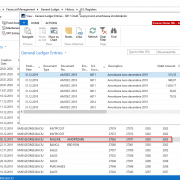
In ”General Ledger Setup” window, on ”Reporting” tab, a currency code will be selected for the field ”Additional Reporting Currency”. This setup is best to be made before recording any transaction in General Ledger. If there are general ledger entries already posted, the system will convert the amounts to additional reporting currency, but you must be sure that the currency exchange rates table is filled with values for the reporting currency – for the entire accounting period to be converted.  After the additional currency code is selected, the amounts in additional reporting currency will be instantly available in general ledger entries (see image bellow).

Dynamics NAV - Navision - General Ledger Entries Additional Currency


Additional reporting currency is available now in multiple places:

Chart of Accounts

In Chart of Accounts, one can see the G/L Account balance in the reporting currency.

Dynamics NAV - Navision -Chart of Accounts Additional Currency

Account Schedules

Account Schedules  is a functionality which allows obtaining synthetic financial reports, like Balance Sheet and Profit and Loss Account. Amounts can be displayed also in reporting currency.Dynamics NAV - Navision -Account Schedules - Additional Currency

Analysis Views using dimensions (cost centers )

Analysis views are tools which enable to analyse business performance using  dimensions (information entered by user) which are specific and relevant for the business. For example, we can analyse costs and revenues using dimensions such as departments or geographic regions. Analysis view’s amounts can be displayed also in reporting currency.

Reports

Some financial reports in Dynamics NAV include the option to display the amounts in additional reporting currency.

Dynamics NAV - Navision - Reports Additional Currency

Although not all the standard  reports have this option, due to the fact that the amounts in additional reporting currency are available in general ledger entries, it is quite easy to customize or to create a report in order to display these amounts.

Do you want to explore other functionalities in Dynamics NAV?  Check here: Dynamics NAV (Navision) Resources
Tags: accounting
Share this entry
  • Share on Facebook
  • Share on X
  • Share on WhatsApp
  • Share on LinkedIn
  • Share by Mail
https://kepler-ms.ro/wp-content/uploads/2019/02/Dynamics-NAV-Navision-Reports-Additional-Currency.png 758 1022 George Baciu https://kepler-ms.ro/wp-content/uploads/2025/03/Logo_Elian_330x300.png George Baciu2019-02-13 11:09:172023-09-28 14:50:49Dynamics NAV – Financial reports in foreign currency
You might also like
Dynamics NAV - Navision -General Ledger Registers - GL Entries General Ledger Registers in Dynamics NAV (Navision)
Navision-Dynamics-NAV-Dimension Combinations Setup of dimensions (cost centers) in Dynamics NAV
Dynamics 365 Business Central (Navision) - Centrul de rol Dynamics 365 Business Central 2021 – Release Wave 1
Navision - Dynamics NAV - General Ledger Setup Dynamics NAV (Navision) – accounting posting period
Dynamics NAV - Navision - Fixed Assets Card- Image Dynamics NAV – Fixed assets maintenance expenses tracing
Microsoft Dynamics NAV - Navision - Payment Journals Line Dynamics NAV (Navision) – export vendor payments to the bank
Dynamics NAV -Navision -Role Center KMS Posting groups in Dynamics NAV
Dynamics NAV 2015 Romanian Localization
0 replies

Leave a Reply

Want to join the discussion?
Feel free to contribute!

Leave a Reply Cancel reply

You must be logged in to post a comment.

RSS Feed Logo RSS Feed Logo Subscribeto RSS Feed

Recent Posts

  • Dynamics NAV (Navision) Manuals
  • What an ERP Developer should know about Kepler?
  • Dynamics 365 Business Central 2021 – Release Wave 1
  • Inventory internal consumption in Dynamics NAV (Navision)
  • Kampen Machinefabriek has improved efficiency with Dynamics 365 Business Central
Search Search

Links

Business Central Videos
Business Central Documentation
ArcherPoint Business Central/NAV
Dynamics User Group
Dynamics NAV Community

Categories

  • Blog
  • business central
  • Case studies
  • dynamics nav
  • ERP
  • Frontpage Article
  • News

Solutions

Dynamics 365 Business Central
Business Central Localization
Mobile WMS
Jet Reports
Dime.Scheduler
Office 365

Services

Dynamics 365 Business Central implementations
Development services
Support and maintenance

About KMS

Kepler
Clients
Testimonials
Partners

Miscellanous

NAV Resources
Blog
News
Careers
Contact

Link to: Dynamics 365 Business Central (Dynamics NAV) Documentation Link to: Dynamics 365 Business Central (Dynamics NAV) Documentation Dynamics 365 Business Central (Dynamics NAV) DocumentationDynamics Business Central - Dynamics NAV -Navision Link to: Dynamics NAV – Fixed assets maintenance expenses tracing Link to: Dynamics NAV – Fixed assets maintenance expenses tracing Dynamics NAV - Navision - Fixed Assets Card- ImageDynamics NAV – Fixed assets maintenance expenses tracing
Scroll to top Scroll to top Scroll to top
Acest site folosește ”cookies” pentru a vă oferi funcționalități necesare și o experiență online îmbunătățită. Prin continuării utilizării acest website vă exprimați acordul față de ”cookies”, așa cum este explicat în Politica de Confidențialitate KMS.